Workstation Setups
  • Home
  • Add Yours
  • Categories
    • Mac
    • PC
    • PC & Mac
  • About
    • About
    • FAQ
    • Contact
  • Network
    • GamingSetups.com
  • 500
    Twitter Followers
  • 860
    Facebook Fans
  • 630
    RSS Subscribers

Home » Mac » Macbook Pro 15” + 3 displays

Macbook Pro 15” + 3 displays
Nov 08

Macbook Pro 15” + 3 displays

by fabiozc - Mac - 4167 Views

Tweet

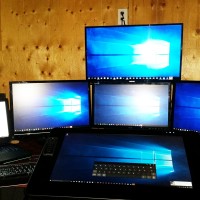
My name is Fábio from Visual7 Design at Brazil and this is my setup with the awesome presence of Square Jobs

Monitor(s)/Display(s):

  • 2x Asus Led 24” Full HD
  • 15” Led Macbook Pro
  • 10” iPad2

Computer(s)/Tablet(s):

  • Macbook Pro 15” - i7 2.66Ghz - 8gb ddr3
  • iPad 2 64gb


Recently Published

Patricio's PC Office Setup
»

Patricio’s PC Office Setup

Hello, my name is Patricio, and this is the configuration of my workspace at the office.
Hola, mi nombre es Patricio, y esta es la configuración de mi espacio de trabajo en la oficina.

PC & Mac Workstation Setup
»

Work & Play – Best of Both Worlds – Mac & PC

My name is Daley, this is my office/studio for work and gaming. I call it ArchiTechnological Haven. I am soon to be an Apple at home advisor as a profession.

The Wizard Setup
»

The Wizard Setup

The Wizard of the internet setup.

What's Hot

  • PC Home Office Setup

    PC Home Office Setup

    57105 Views
  • article image

    Mac Home Office Setup

    44489 Views
  • article image

    Jeff Claeson’s Design Office

    42111 Views
  • article image

    Gaming/Office Setup

    37114 Views
  • Desk1

    Mac Home Office

    34599 Views
  • hendrick_ruoff

    Mac Home Workstation

    31453 Views

Post Tags

  • Asus
  • fabiozc
  • ipad2
  • MacBook Pro
  • visual7

7 Comments

  • comment avatar Yuri Goytacaz November 9, 2011

    I was wondering how he got two monitors “plugged” into the MacBook Pro.
    And the only “issue” in that desk (and this is just to tease the owner) is the Glossy screen. )=
    (BTW, I have the SAME MBP, but with the Matte screen).

    Parabéns, Fábio! Desk invejável! (=

    Abrá!

    PS: Se puder explicar como conseguiu conectar os 2 monitores ao Mac, ficarei muito grato.

  • comment avatar Flo November 9, 2011

    Nice picture. I wonder how you could have done to connect two display into your Macbook Pro. Could you give us a little explanation? I wish I could do the same. Thank you.

  • comment avatar Adriano Matos November 9, 2011

    Nice workstation !! Parabéns Fábio ! Belo local de trabalho, dá ânimo trabalhar em um lugar bacana.
    You can use your iPad like a monitor too. I used a app “iDisplay” for that.

  • comment avatar Fábio ZC November 9, 2011

    Hi guys!
    Thanks for the comments!

    I use the second monitor with an USB adapter (Diamond BVU195 http://www.amazon.com/Diamond-BVU195-USB-Display-Adapter/dp/B002GHBW4S )
    And for my iPad, Im using an app called DisplayPad when i want to extend one more view =)

  • comment avatar Sags January 24, 2012

    @Fábio ZC - Do you see any lag in response time by using the second monitor with an USB adapter? Thanks! Great setup!

  • comment avatar Fábio ZC January 26, 2012

    @Sags - Yes, have a little delay.. isnt cool watch a video on USB monitor. It’s awesome only for reference screen or navigation.

  • comment avatar Mike September 16, 2012

    Hey fabiozc,

    Nice room, Would you please tell me what desk are you using? name or link?

    Thanks!

Leave a Comment

Cancel reply

Your email address will not be published. Required fields are marked *

Copyright 2014 WorkstationSetups.com
  • Home
  • Add Yours
  • About
  • Contact
  • FAQ
  • Archives
  • Sitemap
  • Privacy Policy
  • Terms Of Service