Home » Mac » Stefan Didak’s Home Office
Oct 17
Stefan Didak’s Home Office
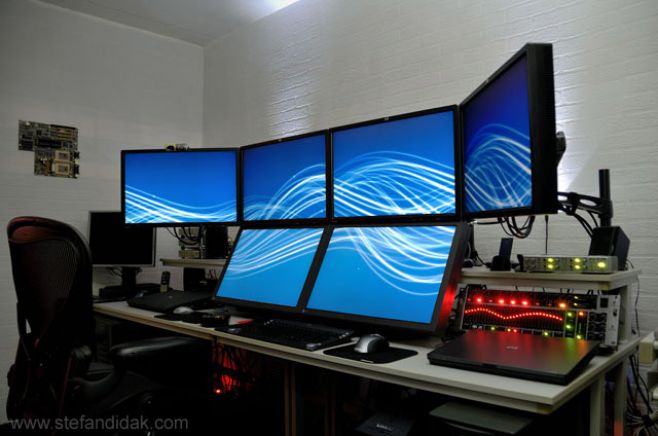
I think half of the internet has already seen my setup. Just adding fit for completeness sake. :-)
Monitor(s)/Display(s):
- Main area: 2 x Eizo 24″, 4 x HP 24″
- Side area: 3 x Huyndai 17″
- Other side area: 1 x 27″ iMac
Computer(s):
Accessories:
Recently Published

»Stark Lab v1 (Systems Architect Mood-Lit Home Office)
I’m a cloud infrastructure-as-a-service (IaaS) systems architect and cloud software engineer (Bash, PHP, MySQL) and work from home full time.
I manage a datacenter private cloud and use the two Apple displays for productivity and RDP tasks and the two HP vertical monitors for NOC graphs and alerts.
Hope you enjoy and find inspiration for your own setup.

»SCF Setup (Simple, Clean, Faster)
My name is Jean, i live in Brazil and i’m a professional CS:GO player

»2650x1600x3 never going back
My home desktop! Great for triple screen gaming, monitoring lots of servers & security cameras!

